
How to get the demo on Steam
Open the official Emberville page on the Steam store. The listing checked for this guide includes a demo download entry. Choose it and Steam installs the demo like any other game in your library. No account beyond your normal Steam account is needed.
You do not need a third-party installer, a giveaway entry or a paid key to play the public demo. If a site asks for any of those, it is not the official route. Stick to the Steam store page to avoid problems. The official Discord and Steam discussions are also good places to ask if something looks wrong.
What the demo is
The developer’s October announcement identifies the public demo as the game’s prologue. It is a free taste of the opening, not the full game. The developer’s Early Access FAQ gives about 90 minutes as the average time to complete it. Your own time may be shorter or longer depending on how much you explore.
Emberville itself is a paid game. The developer has announced $29.99 USD, or $26.99 USD during a 10% launch offer. The demo being free does not make the full game free. Our price page covers those details.
The Steam Next Fest window
The demo was announced for October 19 to 26, 2026, during Steam Next Fest. FullCleared and Static Multimedia both reported the public opening alongside the upcoming Early Access launch. Those reports are largely based on the studio’s announcement. They agree on the dates.
No exact shutdown hour or time zone for the end of the window was established. It is also unconfirmed whether the demo stays available after the event. If you are reading this after October 26, check the Steam page for the current state. Our page on whether the demo is timed covers this in more detail.
Public demo versus creator preview
Before the public demo, journalists and creators played a Creator & Press Preview. Several previews published on September 11, 2026 come from that build. It is a separate release from the public Next Fest demo. Details seen in those previews may differ from what you play.
The difference matters most for saves. The developer says public Next Fest demo progress carries into Early Access, while Creator & Press Preview saves do not. If you played both, only the public demo save is set to transfer. Our save transfer page explains how to tell them apart.
Demo patches
The demo has already been updated. Patch notes dated October 22, 2026 list Demo Alpha 0.20.18.x with fixes including crafting stations and item collection. That means the demo you download now may behave differently from the first day. It also shows the build is being actively maintained.
If you shared a bug or tip from an earlier demo build, it may no longer apply. Check the official news feed on Steam for the latest notes. Keep your game updated through Steam before reporting problems. That way your feedback matches the current version.
What you can try in the prologue
The prologue introduces combat, which the Steam page says relies on positioning, timing and weapon combos. Previews describe the Wanderer class appearing in the opening. COGconnected also tried cooking by selecting an ingredient and starting production. Those are good systems to test before buying.
One preview ended as the player reached the town, so the full rebuilding loop may sit beyond the demo. Some advertised crafting systems may not be fully usable in the prologue. Treat the demo as a sample of feel rather than a full feature tour. Our beginner guide gives a plan for those first steps.
Controllers and Steam Deck
The Steam page lists controller compatibility for the PC version. One preview found menu navigation awkward with a controller. If you use a gamepad, give yourself time to learn the menus. Combat and menus may feel quite different on a controller.
Steam Deck compatibility was listed as Unknown when checked, which means Valve has not reviewed it. A player on Reddit reported finishing the demo on Deck with some inventory and control difficulties. That is one experience, not a benchmark. Our Steam Deck page explains the label and a simple test checklist.
From demo to Early Access
Early Access is planned for October 27, 2026 on Windows PC via Steam. It launches as single-player with the first major biome, according to the developer’s FAQ. Co-op and console versions are planned for the 1.0 release. The demo is the prologue to that larger release.
Because public demo saves carry over, there is no reason to rush or restart before launch. Avoid deleting your demo save while you wait. Keeping a backup copy is a sensible precaution, though not an officially tested procedure. Our save transfer page covers the details.
Is the demo worth playing?
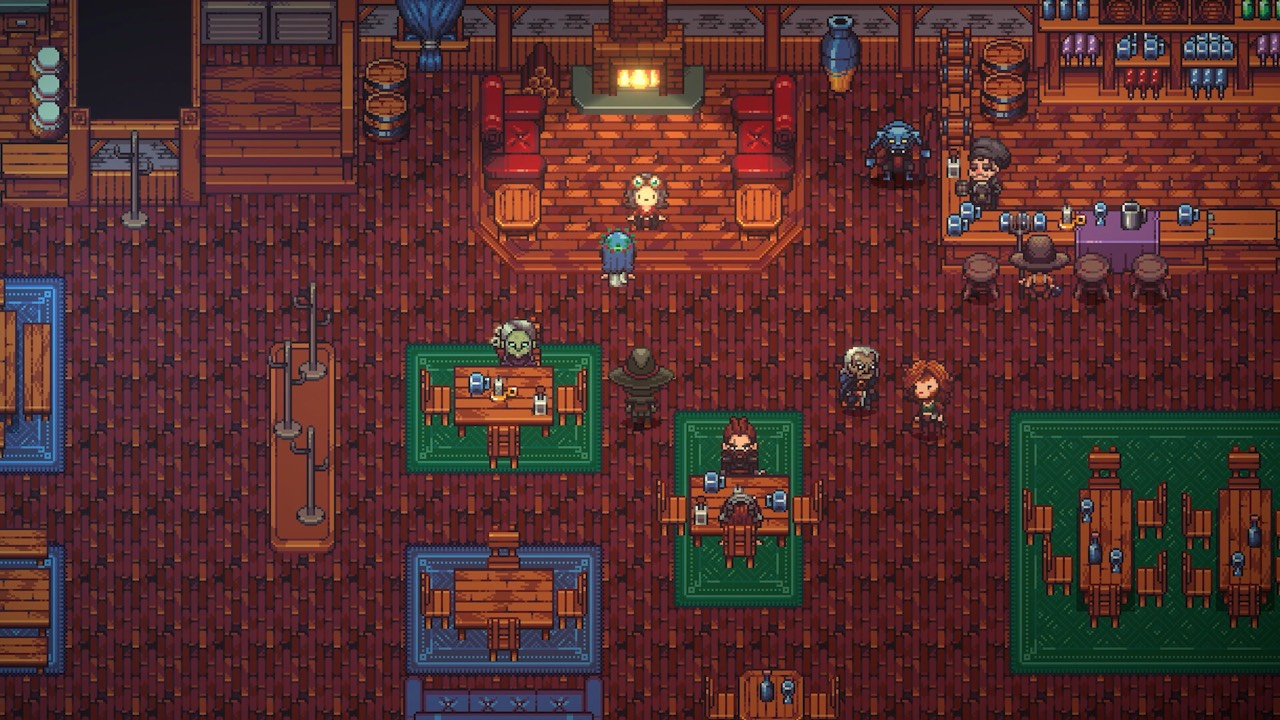
The demo is the easiest way to judge whether Emberville suits you. It shows the pixel-art style, the feel of combat and the start of the class system. It costs nothing and takes about 90 minutes on average. If you are undecided, it answers most first questions.
It is also useful if you have already decided to buy. Public demo progress carries over, so you lose nothing by starting early. You can learn the controls before Early Access begins. Our beginner guide suggests what to focus on.
If the demo will not start
First, make sure the demo is fully updated through Steam. The October 22 patch fixed several issues, and older files can cause problems. Check that your PC runs Windows, which is the platform listed on the Steam page. Restarting Steam is a sensible general step.
If problems continue, report them through the official Discord or the Steam discussions. Include your demo version and what happened. The developer can actually investigate and fix bugs there. This wiki cannot provide technical support.
Quick answers about the demo
Here is the short version for anyone in a hurry. Each point comes from the developer or the Steam store. Details marked as unconfirmed above are left out. Follow the related pages for more.
- Where: the demo entry on the official Steam store page.
- When: announced for October 19–26, 2026, during Steam Next Fest.
- Length: about 90 minutes on average for the prologue.
- Saves: public demo progress carries into Early Access.
- Cost: the demo is free; the full game is paid.
Sources and further reading
- Emberville — Steam store
- Public demo announcement — Cygnus Cross / Evolve PR
- What to Expect from Emberville Early Access on October 27th — Cygnus Cross
- Emberville Demo Now Live Ahead of October 27 Early Access — FullCleared
- Emberville Demo Is Live on Steam Next Fest — Static Multimedia
- Preview: Emberville — WayTooManyGames
- Demo Patch Notes, October 22 — Cygnus Cross
- Emberville Hands-On Preview — CGMagazine
- Emberville Preview — COGconnected
- Steam Deck experience feedback — r/Emberville_Official
- Steam Deck Verified — Valve