
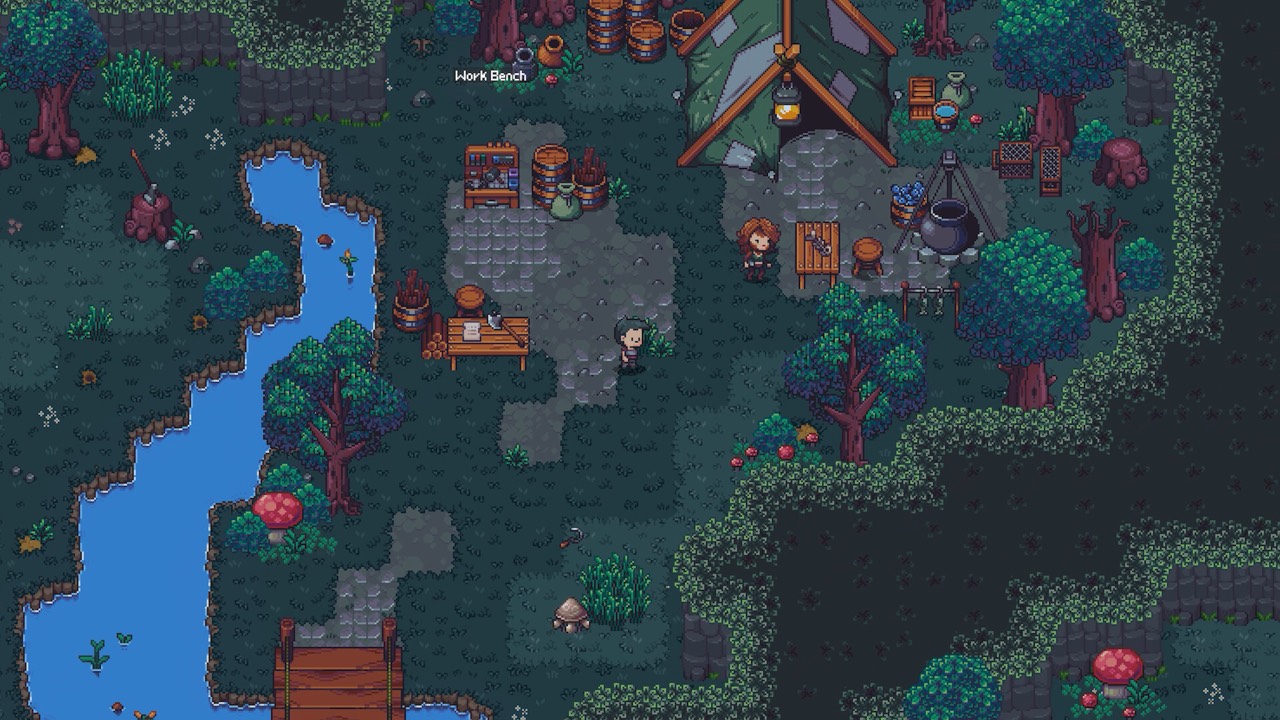
Learn movement, timing and enemy tells first
The Steam page describes combat as a matter of positioning, timing and weapon combos. That makes your first job simple: learn how your character moves and how long each attack takes before you worry about builds. Fights reward stepping out of danger and striking in the openings, not pressing attack as fast as possible. Spend your first encounters watching what enemies do before they hit you.
Follow the on-screen tutorial rather than guessing at controls. Key bindings and some menu layouts have changed between preview builds, so the prompts in your installed version are the most reliable guide. If you play with a controller, give the menus a moment to settle in. One preview reported awkward controller navigation in menus, so slow down there even when combat feels comfortable.
Weapon mastery and class progress are separate
Emberville tracks more than one kind of progress. Two independent previews describe a bow getting better simply through use, which points to weapon proficiency that grows as you fight. Classes develop on their own track, with their own skills. Keeping those two ideas apart makes the early menus much easier to read.
The developer’s demo announcement says progress in weapon and armor categories can unlock classes. In other words, the weapons you favor are not only a combat choice, they can also open new options later. Using a weapon you enjoy is therefore a reasonable early plan. You do not need to force a weapon you dislike just to chase an unknown unlock.
Exploration and rescues feed your town
Emberville is not only about fighting in the Vitromotus. The Steam store frames the game around rescuing survivors and restoring the town of Emberville. The developer’s demo announcement adds that exploration and NPC rescues feed several progression systems. Taking time to explore is part of progressing, not a detour from it.
Characters you rescue can expand what you are able to do, according to the same announcement. That makes it worth checking side paths and talking to anyone you free. Rebuilding the town connects to crafting and gathering, which our crafting guide covers in detail. Note that one preview of the prologue ended on reaching the town, so the full rebuilding loop is still unverified here.
Gather with a purpose
Studio material connects gathered materials to equipment, food, tools and trinkets. A COGconnected preview also tried cooking by picking an ingredient and starting production. That is a useful first habit: pick up materials as you go, then look at what you can actually make with them. You do not need to hoard everything on the first run.
Before a longer trip, decide what you want to craft and check its recipe in your own build. Recipes and station access can change between versions, as the October 22 demo patch notes show with crafting-station fixes. Your in-game recipe screen is the source to trust. Shared ingredient tables only help when they state which version they were made in.
Preview advice versus Early Access
Everything on this page comes from the public demo, official notes and previews written before Early Access. Early Access is planned for October 27, 2026 on PC, and the developer describes it as an evolving release. Balance, unlock conditions and menus may shift after launch. Treat early advice as a starting point and recheck it against your build.
If you played the public Steam Next Fest demo, your progress is set to carry into Early Access. Saves from the earlier Creator & Press Preview do not. That gives demo players a head start, but it does not change the basics above. Movement, timing and reading your menus stay useful no matter which build you begin in.
Mistakes to avoid in your first hours
The most common trap is copying a build or route made for a different version. Previews were played on creator builds, and the public demo has already received patches. A hotkey list, a stat split or a fixed order of named characters may not match what you see. When a guide and your screen disagree, trust your screen.
Another trap is treating weapon preference as proof that one class is best. Previewers enjoyed bows, but that tells you about their taste, not a tested ranking. Spending scarce resources on a class before reading its menu can also leave you short later. Read first, commit second, and keep notes on what each choice actually changed.
Try the free demo first
The public Steam demo is the prologue, and the developer gives about 90 minutes as the average time to finish it. It is the best low-pressure place to practice the basics on this page. You can learn movement, meet Wanderer and try early crafting before buying. The demo was announced for October 19–26, 2026.
Progress from that public demo is set to carry into Early Access on October 27. So practice there is not wasted. Keep your save rather than deleting it while you wait for launch. Our demo pages cover download, length and save transfer.
A simple first-session checklist
If you want a short version, follow the list below in order. It is built only from what official sources and previews agree on. It deliberately avoids hotkeys, stat allocations and named routes that have not been verified. Each step links naturally to a deeper page on this wiki.
Once these basics feel natural, move on to the class unlocks and skill inheritance pages. Those explain how classes open up and how learned skills can carry across. The crafting guide then shows how to plan gathering trips. Together they cover the systems the developer highlights most.
- Finish the tutorial prompts and practice dodging before pushing deeper.
- Pick a weapon you enjoy and let its proficiency grow through use.
- Open the class menu when Wanderer appears and read every locked entry.
- Explore side paths and talk to rescued characters.
- Gather materials, then check real recipes before a longer expedition.
Sources and further reading
- Emberville — Steam store
- Preview: Emberville — WayTooManyGames
- Emberville Hands-On Preview — CGMagazine
- Public demo announcement — Cygnus Cross / Evolve PR
- Emberville Preview — COGconnected
- Emberville launches in Early Access on October 27 — Gematsu
- Demo Patch Notes, October 22 — Cygnus Cross
- What to Expect from Emberville Early Access on October 27th — Cygnus Cross